vimsynth/modules/topo
modules/sequencing/TOPO
TOPO
A drum machine you STEER, not program. Four grooves sit at the corners of an x/y map — straight rock, breakbeat, house, broken — and the knobs put you between them, blended. Each instrument has a density that fills the beat in from skeletal to frantic, revealing the ghost notes the pattern already implies rather than adding random ones. Clock it; take the kick, snare and hat triggers into three drum voices (a struck RESON, a noise burst, a pitched-down sine). chaos dusts it with life.
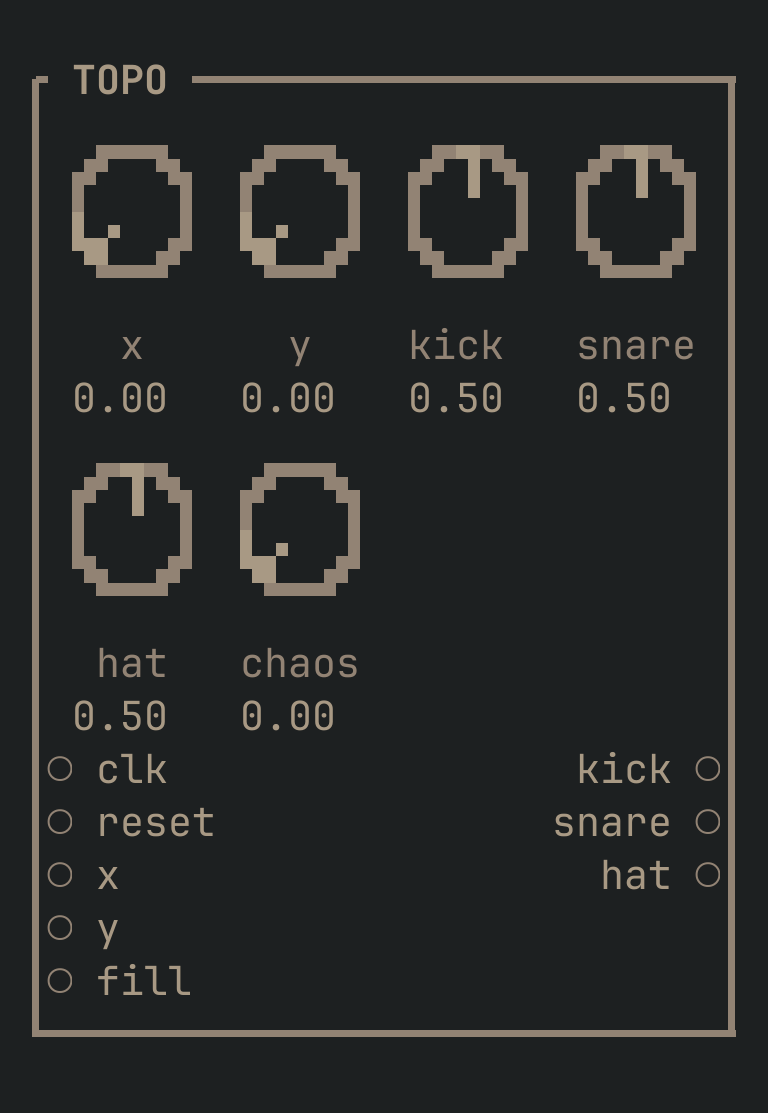
TOPO to get this card.inputs
Down the left edge of the card, top to bottom.
- clktrigger
- Advances one step. Sixteen steps to the bar, so a sixteenth-note clock plays it at speed.
- resettrigger
- Back to the top of the bar (the downbeat).
- xcv
- Added to the
xknob — slides across the map, straight toward broken. Automate it to make the beat evolve. - ycv
- Added to the
yknob — rock toward house. - fillcv
- Added to every instrument's density at once — one cable to open the whole beat up, e.g. from an envelope on the drop.
outputs
Down the right edge, in the same order.
- kicktrigger
- The kick drum's trigger. Into an envelope on a pitched-down sine, or a struck RESON.
- snaretrigger
- The snare's trigger. A noise burst through a fast envelope, or a bright RESON.
- hattrigger
- The hat's trigger. Filtered noise, short.
knobs
Left to right across the face — the dials in the picture.
- x0 … 1= 0
- Where on the map, left to right: straight beats toward broken, syncopated ones.
- y0 … 1= 0
- Where on the map, front to back: rock toward house.
- kick0 … 1= 0.5
- Kick density — how full the kick drum's part is. Skeletal at 0, a flood at 1.
- snare0 … 1= 0.5
- Snare density.
- hat0 … 1= 0.5
- Hat density.
- chaos0 … 1= 0
- Randomness. 0 plays the map exactly and every bar is the same; turn it up and the beat gains and drops the odd hit, dusted with life.
more
The full reference — every parameter curve, the patching notes and the worked examples — lives in the manual: docs.vimsynth.com/modules/topo. In the app itself, :help TOPO opens the same page without leaving the rack.