vimsynth/modules/quant
QUANT
Snaps any CV to a scale. NOISE → S&H → QUANT → VCO is a random melody that is always in key. By default it follows the RACK's scale — the one set with t — but its own scale knob can pin it to a different one, so a patch can hold two tonalities at once: a drone in Just intonation under a lead that stays wherever the rack is tuned.
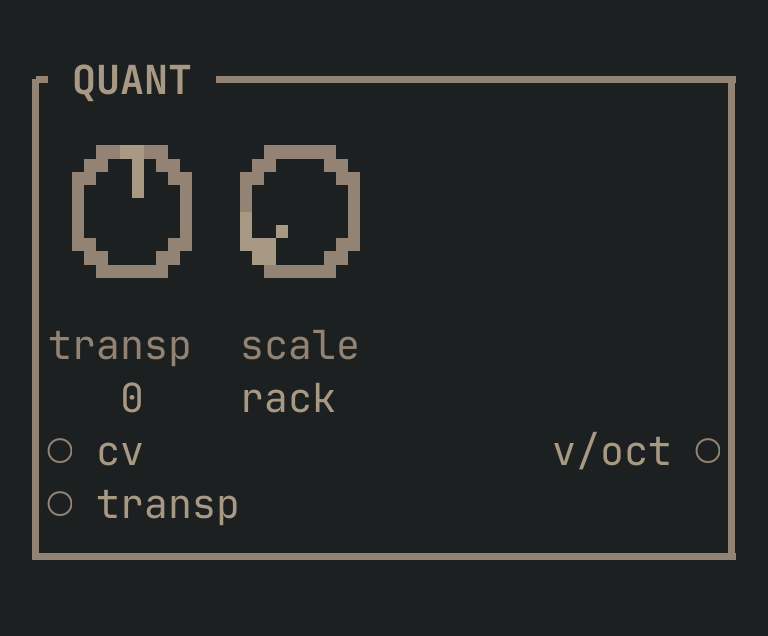
QUANT to get this card.inputs
Down the left edge of the card, top to bottom.
- cvcv
- The voltage to snap to the scale.
- transpcv
- Transposes, in scale degrees.
outputs
Down the right edge, in the same order.
- v/octpitch
- The input, snapped to the nearest degree of the rack's scale.
knobs
Left to right across the face — the dials in the picture.
- transp-24 … 24= 0
- Transpose, in scale degrees.
- scalerack · 12-TET · 19-TET · 24-TET · 31-TET · 53-TET · 7-TET · Bohlen-Pierce · Just · Pythagorean · Harmonic · Hirajoshi · In (Sakura) · Yo · Iwato · Kumoi · Insen · Gong · Shruti (22) · Bhairav · Rast · Bayati · Hijaz · Saba · Slendro · Pelog= rack
- Which scale to snap to.
rack(the default) follows whatever the rack is tuned to witht— retuning the rack moves this too. Pick a named scale instead and this QUANT ignores the rack entirely and stays in it, however the rack is tuned.
more
The full reference — every parameter curve, the patching notes and the worked examples — lives in the manual: docs.vimsynth.com/modules/quant. In the app itself, :help QUANT opens the same page without leaving the rack.