vimsynth/modules/qvca
modules/processors/QVCA
QVCA
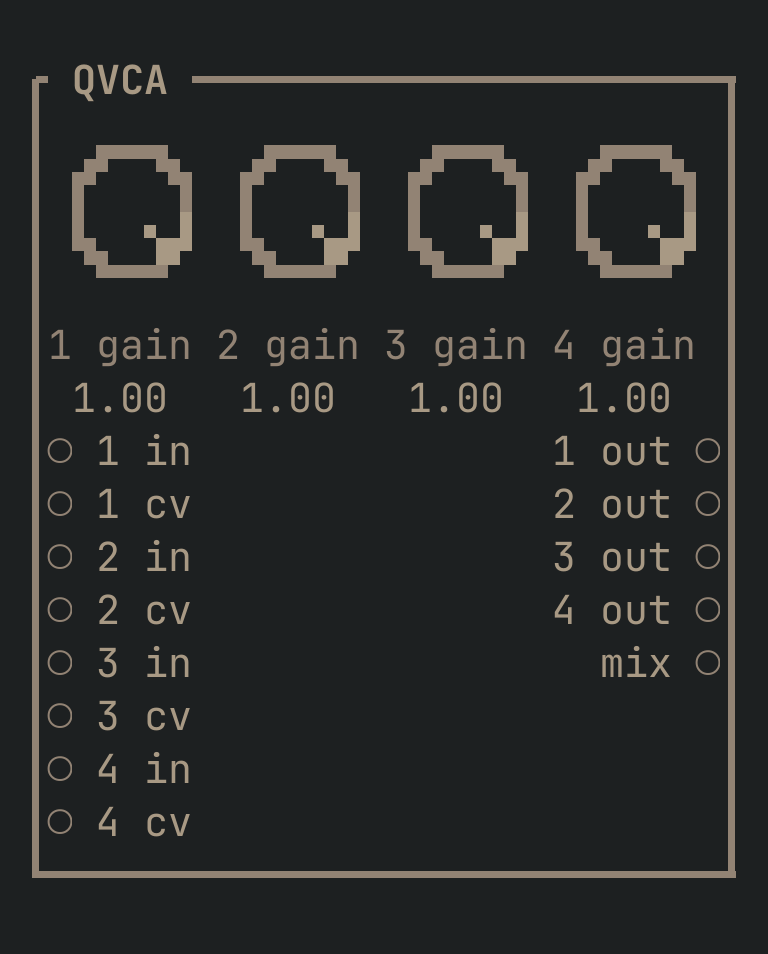
Four VCAs on one card, each with its own output and its own CV — a drum bus's four voices, each under its own envelope, without four separate cards. mix sums all four as well, for whenever what you actually wanted was a four-channel mixer with CV over every level.
QVCA to get this card.inputs
Down the left edge of the card, top to bottom.
- 1 inaudio
- Channel 1's signal.
- 1 cvcv
- Channel 1's level. Normals to 1.0, same as a lone VCA's own
cv. - 2 inaudio
- Channel 2's signal.
- 2 cvcv
- Channel 2's level. Normals to 1.0.
- 3 inaudio
- Channel 3's signal.
- 3 cvcv
- Channel 3's level. Normals to 1.0.
- 4 inaudio
- Channel 4's signal.
- 4 cvcv
- Channel 4's level. Normals to 1.0.
outputs
Down the right edge, in the same order.
- 1 outaudio
- Channel 1, alone.
- 2 outaudio
- Channel 2, alone.
- 3 outaudio
- Channel 3, alone.
- 4 outaudio
- Channel 4, alone.
- mixaudio
- All four channels, summed — a four-channel mixer with CV over every level, for whenever the four separate outs are not what you actually wanted.
knobs
Left to right across the face — the dials in the picture.
- 1 gain0 … 1= 1
- Channel 1's level, when nothing is patched into
1 cv. - 2 gain0 … 1= 1
- Channel 2's level, when nothing is patched into
2 cv. - 3 gain0 … 1= 1
- Channel 3's level, when nothing is patched into
3 cv. - 4 gain0 … 1= 1
- Channel 4's level, when nothing is patched into
4 cv.
more
The full reference — every parameter curve, the patching notes and the worked examples — lives in the manual: docs.vimsynth.com/modules/qvca. In the app itself, :help QVCA opens the same page without leaving the rack.