vimsynth/modules/smix
SMIX
Stereo mixer: up to FOUR stereo channels, each with level and pan under full CV. pairs says how many it has, and the card is that big — two by default. Patch only the left input of a channel and the right normals from it, so the pan knob becomes a true panner for a mono source, with no mode to set.
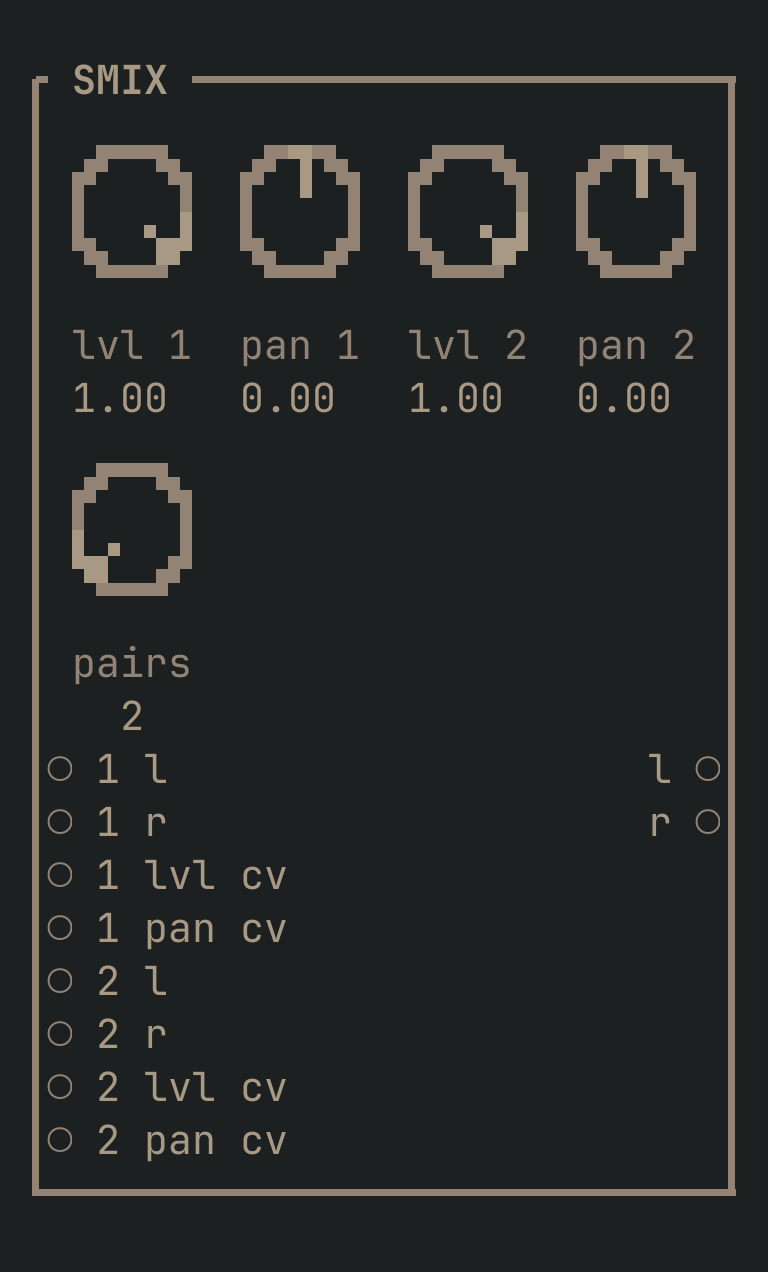
SMIX to get this card.inputs
Down the left edge of the card, top to bottom.
- 1 laudio
- Channel 1, left. Patch ONLY this and the right normals from it, which turns
pan 1into a true panner for a mono source. - 1 raudio
- Channel 1, right. Patch this too and
pan 1becomes a balance instead. - 1 lvl cvcv
- Channel 1's level. Full CV, no depth knob — use an ATT for depth.
- 1 pan cvcv
- Channel 1's pan.
- 2 laudio
- Channel 2, left. Same rule.
- 2 raudio
- Channel 2, right.
- 2 lvl cvcv
- Channel 2's level.
- 2 pan cvcv
- Channel 2's pan.
- 3 laudio
- Channel 3, left. Only exists when
pairsis 3 or more. - 3 raudio
- Channel 3, right. Normals from
3 l, like every other pair. - 3 lvl cvcv
- Channel 3's level.
- 3 pan cvcv
- Channel 3's pan.
- 4 laudio
- Channel 4, left. Only exists when
pairsis 4. - 4 raudio
- Channel 4, right. Normals from
4 l. - 4 lvl cvcv
- Channel 4's level.
- 4 pan cvcv
- Channel 4's pan.
outputs
Down the right edge, in the same order.
- laudio
- The mix, left.
- raudio
- The mix, right.
knobs
Left to right across the face — the dials in the picture.
- lvl 10 … 1= 1
- Channel 1's level.
- pan 1-1 … 1= 0
- Channel 1's pan — a balance if both inputs are patched, a true panner if only the left is.
- lvl 20 … 1= 1
- Channel 2's level.
- pan 2-1 … 1= 0
- Channel 2's pan.
- lvl 30 … 1= 1
- Channel 3's level. Only exists when
pairsis 3 or more. - pan 3-1 … 1= 0
- Channel 3's pan.
- lvl 40 … 1= 1
- Channel 4's level. Only exists when
pairsis 4. - pan 4-1 … 1= 0
- Channel 4's pan.
- pairs2 … 4= 2
- How many stereo channels this mixer has: 2, 3 or 4. The card grows and shrinks with it, and the ports and knobs of the channels you have not asked for do not exist. Turning it DOWN unplugs anything patched into the channels that go away.
more
The full reference — every parameter curve, the patching notes and the worked examples — lives in the manual: docs.vimsynth.com/modules/smix. In the app itself, :help SMIX opens the same page without leaving the rack.