vimsynth/modules/mixer
MIXER
Sums four signals, with a level on each. Works for audio or CV.
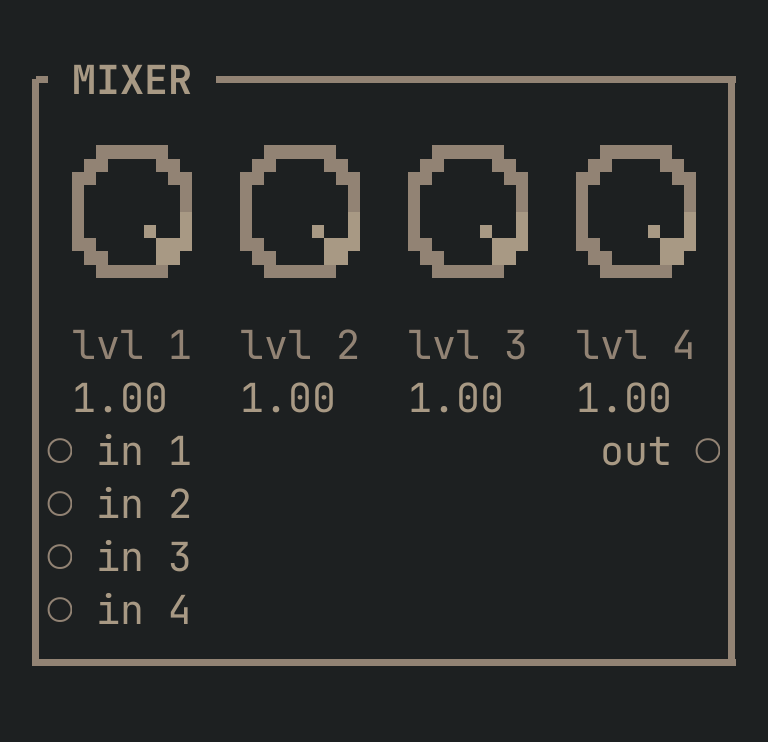
MIXER to get this card.inputs
Down the left edge of the card, top to bottom.
- in 1audio
- Channel 1 — the literal port name is
in 1, WITH the space, notin1or1. - in 2audio
- Channel 2 (
in 2). Its level starts up, so a source patched here is heard. - in 3audio
- Channel 3 (
in 3). Its level starts up, so a source patched here is heard. - in 4audio
- Channel 4 (
in 4). Its level starts up, so a source patched here is heard.
outputs
Down the right edge, in the same order.
- outaudio
- The sum.
knobs
Left to right across the face — the dials in the picture.
- lvl 10 … 1= 1
- Channel 1's level. Every channel starts UP (1.0), so whatever you patch in is heard.
- lvl 20 … 1= 1
- Channel 2's level. Up by default — turn it DOWN to sit a source under the others, or to 0 to drop it.
- lvl 30 … 1= 1
- Channel 3's level. Up by default.
- lvl 40 … 1= 1
- Channel 4's level. Up by default. Four sources at full will be LOUD together — balance them here rather than at the OUT.
more
The full reference — every parameter curve, the patching notes and the worked examples — lives in the manual: docs.vimsynth.com/modules/mixer. In the app itself, :help MIXER opens the same page without leaving the rack.