vimsynth/modules/att
ATT
Attenuverter: out = in × amount + offset. THE most important utility in the rack. Negative amount INVERTS. With nothing patched in, offset alone makes it a constant CV source. Any time you want 'modulate X by Y at depth Z', or 'invert this', the answer is an ATT.
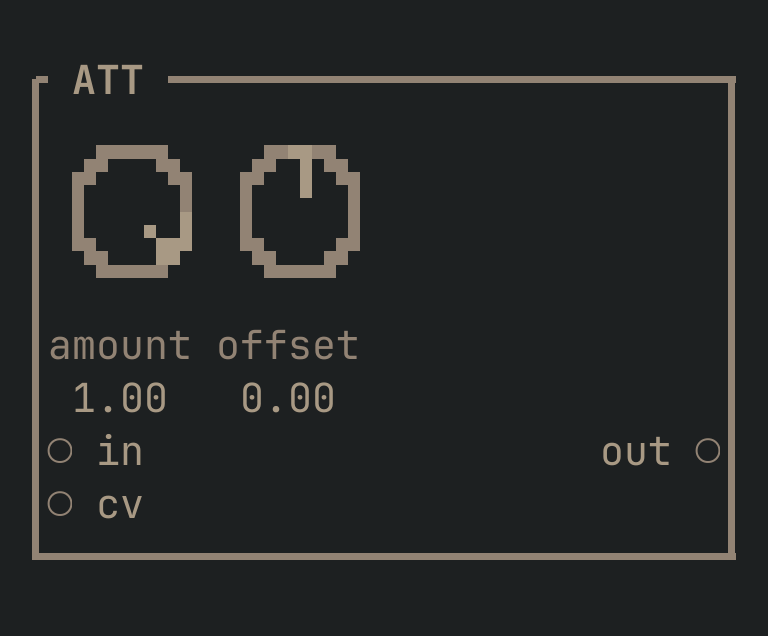
ATT to get this card.inputs
Down the left edge of the card, top to bottom.
- incv
- The signal to scale. LEAVE IT UNPATCHED and the module becomes a constant CV source of whatever
offsetsays. - cvcv
- Modulates the amount, for voltage-controlled depth.
outputs
Down the right edge, in the same order.
- outcv
in × amount + offset. Withinunpatched this is a constant, which is how you make a DC source.
knobs
Left to right across the face — the dials in the picture.
- amount-1 … 1= 1
- Scale. NEGATIVE INVERTS — this is how you make something go DOWN when another thing goes up (ducking, inverse filter sweeps).
- offset-1 … 1= 0
- Offset, added after. With
inunpatched, this alone is a constant CV.
more
The full reference — every parameter curve, the patching notes and the worked examples — lives in the manual: docs.vimsynth.com/modules/att. In the app itself, :help ATT opens the same page without leaving the rack.