vimsynth/modules/drive
modules/processors/DRIVE
DRIVE
Gain, and overdrive. Four curves: soft (warm, tanh), hard (obvious clipping), diode (asymmetric, so it adds EVEN harmonics — the valve/transistor difference), crush (digital, quantised). Not the same as FOLD: a driver squashes, a folder reflects.
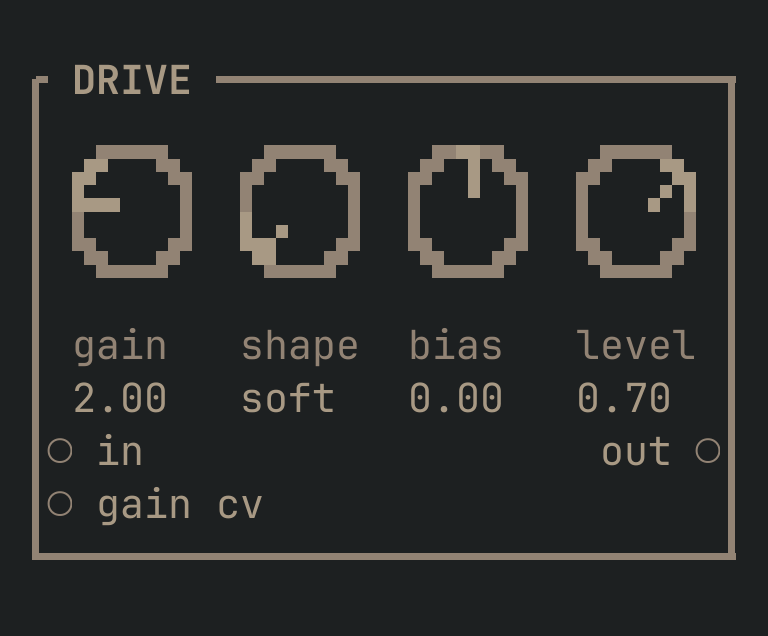
DRIVE to get this card.inputs
Down the left edge of the card, top to bottom.
- inaudio
- The signal to drive.
- gain cvcv
- Modulates the gain.
outputs
Down the right edge, in the same order.
- outaudio
- The signal, with harmonics it did not have before.
knobs
Left to right across the face — the dials in the picture.
- gain1 … 64= 2
- How hard it is driven.
- shapesoft · hard · diode · crush= soft
- The curve.
softis warm;hardis obviously clipped;diodeis asymmetric and valve-like;crushis digital and gritty. - bias-1 … 1= 0
- Offsets before the curve, so a symmetrical one starts making even harmonics.
- level0 … 1= 0.7
- Makes back the level the curve took away. Every curve here loses level as it starts to work.
more
The full reference — every parameter curve, the patching notes and the worked examples — lives in the manual: docs.vimsynth.com/modules/drive. In the app itself, :help DRIVE opens the same page without leaving the rack.