vimsynth/modules/lane
LANE
One lane of the ARRANGEMENT: many clips of recorded audio, laid out along a timeline and played in order. Where SMPL plays one sound and SLICE plays one piece of one sound, a LANE plays a whole part — this bounce at bar 9, that one at bar 17 — and outputs it in stereo. It counts pulses at clk, so the arrangement follows whichever CLOCK you patch in and a tempo change slides the whole part rather than desynchronising it. Clips keep their length in SECONDS: a finished bounce does not get shorter because the song got faster. The clips themselves are placed in the arranger, not from this card. Use one LANE per part and mix them like any other channel.
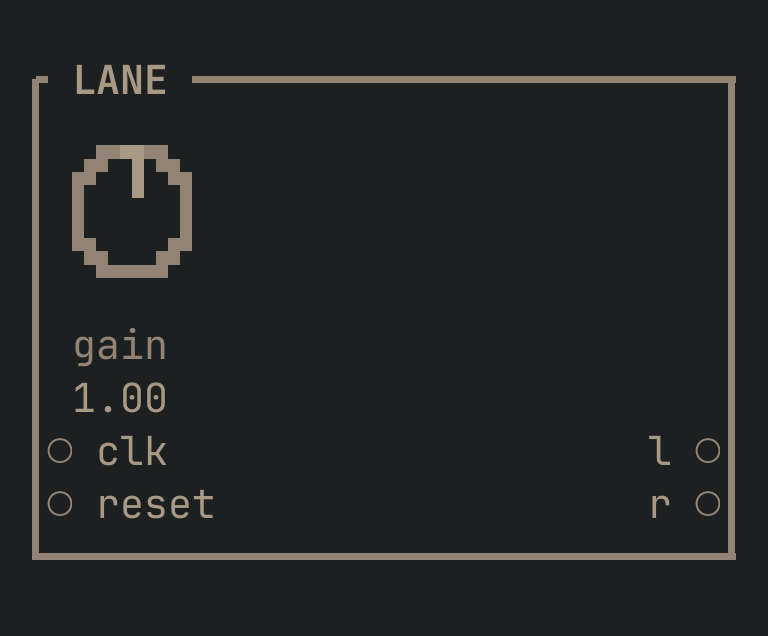
LANE to get this card.inputs
Down the left edge of the card, top to bottom.
- clktrigger
- The conductor's pulses. This is what the arrangement counts — clip positions are pulse positions, so whichever CLOCK you patch here decides where every clip lands, and a tempo change slides the whole lane instead of breaking it. Patch the same clock into every lane and they play as one arrangement; patch two different ones and you have two.
- resettrigger
- Back to the top of the arrangement. Leave it unpatched and the lane counts from when the patch started, which is what makes it agree with the CLOCK the arranger draws its ruler against.
outputs
Down the right edge, in the same order.
- laudio
- The lane, left. Clips are stereo where their bank slot is — take both.
- raudio
- The lane, right.
knobs
Left to right across the face — the dials in the picture.
- gain0 … 2= 1
- The whole lane's level, ahead of its OUT's fader. Each clip carries its own gain; this is the one that moves all of them together — what you reach for when a part sits wrong against the rest of the mix rather than against itself.
more
The full reference — every parameter curve, the patching notes and the worked examples — lives in the manual: docs.vimsynth.com/modules/lane. In the app itself, :help LANE opens the same page without leaving the rack.