vimsynth/modules/mout
MOUT
Gate + pitch + velocity, back out as MIDI notes — the rack playing a hardware synth or a DAW. A rising gate sends a NoteOn at the nearest scale note to v/oct; the falling edge sends its NoteOff. vel sets velocity.
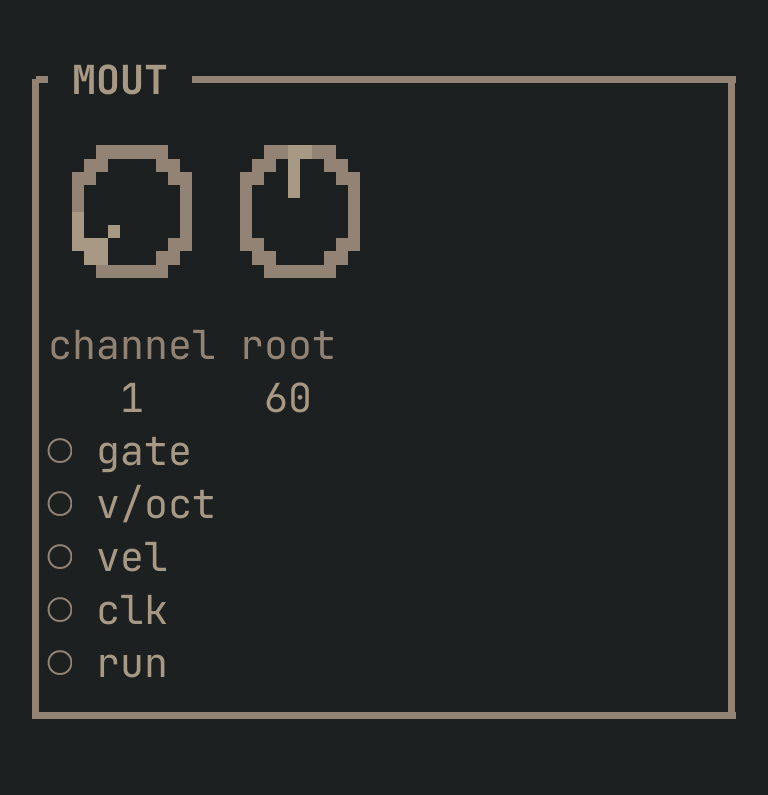
MOUT to get this card.inputs
Down the left edge of the card, top to bottom.
- gategate
- A rising edge sends a NoteOn; the falling edge sends its NoteOff. An ADSR or SEQ gate is the usual source.
- v/octpitch
- The pitch, snapped to the nearest scale note when the note is sent. 1.0 = one octave.
- velcv
- Velocity, 0..1, mapped to 1..127. Unpatched, a note goes out at full velocity.
- clktrigger
- Each rising edge sends one MIDI Clock byte. Feed a CLOCK multiplied to 24 pulses per quarter to make a DAW follow the rack's tempo.
- rungate
- Going high sends Start; falling sends Stop — the receiving device's transport, framed by this gate.
knobs
Left to right across the face — the dials in the picture.
- channel1 … 16= 1
- Which MIDI channel to send on, 1–16.
- root0 … 127= 60
- The MIDI note that is degree 0 of the scale. 60 is middle C.
more
The full reference — every parameter curve, the patching notes and the worked examples — lives in the manual: docs.vimsynth.com/modules/mout. In the app itself, :help MOUT opens the same page without leaving the rack.