vimsynth/modules/reverb
modules/processors/REVERB
REVERB
A room around the sound. Eight combs into four allpasses; stereo out. Where DELAY gives you echoes you can count, this gives you a space. Essential for anything described as ambient, distant, spacious or vast.
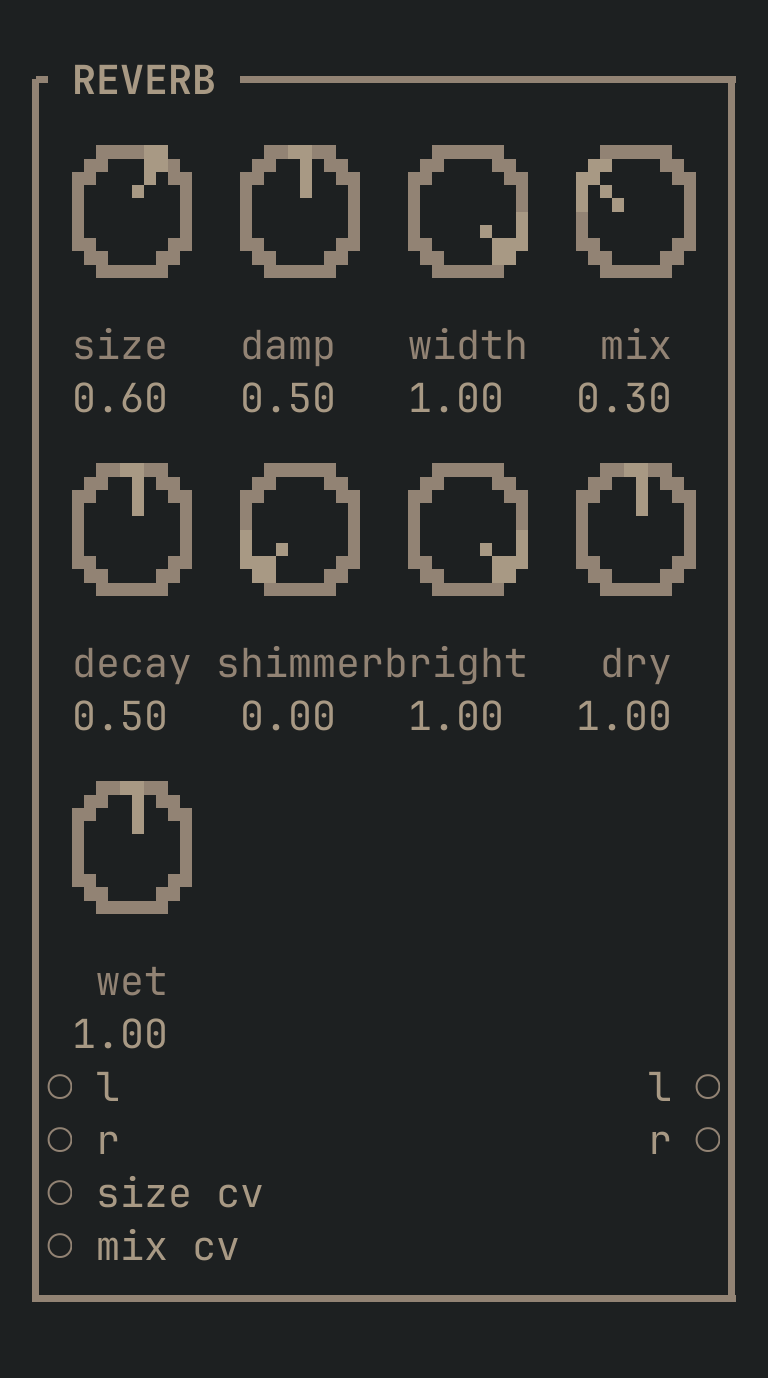
REVERB to get this card.inputs
Down the left edge of the card, top to bottom.
- laudio
- The signal to send into the room, left. Each side feeds its OWN comb bank, so a stereo source keeps its image through the room.
- raudio
- The right side. Normals from
l, so ONE cable in is the mono send this always was — patch both and it stays stereo all the way through. - size cvcv
- Modulates the room size (which is really the length of the tail).
- mix cvcv
- Modulates the dry/wet balance.
outputs
Down the right edge, in the same order.
- laudio
- Left. This effect is BORN stereo — take both outputs, or you throw away the thing that makes it work.
- raudio
- Right.
knobs
Left to right across the face — the dials in the picture.
- size0 … 1= 0.6
- How big the room is — how far apart its walls sound. High is a cathedral or a canyon.
- damp0 … 1= 0.5
- How fast the top of the tail dies INSIDE the loop, the way air eats the high end over distance. High is a soft, dark, distant room; low is bright and glassy. To darken a tail WITHOUT shortening it, use
brightinstead. - width0 … 1= 1
- Stereo width.
- mix0 … 1= 0.3
- Dry/wet CROSSFADE. 0.2–0.4 is a room; above 0.6 the sound is more reverb than source, which is what 'distant' or 'vast' means. It TRADES one for the other — for a room added on top of an undiminished source, leave this at 0.5 and use
dry/wet. - decay0 … 1= 0.5
- How LONG the tail rings, on top of
size. 0.5 is the resting point; up from there is a hall or a frozen wash (0.9+ is nearly endless), down is a plate or a tight ambience. This is the knob for 'long', 'endless', 'cavernous';sizeis the knob for 'big'. - shimmer0 … 1= 0
- SHIMMER — how much of the tail is fed back an OCTAVE UP, so the reverb grows a choir above itself that climbs as it decays. This is what 'ethereal', 'angelic', 'celestial' and 'Sigur Rós' mean. Start around 0.2–0.4; it piles up top end, so pull
brightdown to keep it under the mix. - bright0 … 1= 1
- The tail's BRIGHTNESS — a lowpass over the whole wet signal, after the room and the shimmer. 1.0 is wide open. Pull it to 0.4–0.7 to sit a long or shimmering reverb under a mix without shortening it, which is what
dampwould do instead. - dry0 … 2= 1
- A trim on the DRY side of
mix, 0–2. 1.0 leaves the crossfade as it is; withmixat 0.5, turning this to 2.0 puts the dry signal back to full. - wet0 … 2= 1
- A trim on the WET side of
mix, 0–2 — the room's own level.mix0.5 with both trims at 2.0 is a SEND: the source whole, the room added over it, which is how a reverb sits in a mix without pushing the sound away.
more
The full reference — every parameter curve, the patching notes and the worked examples — lives in the manual: docs.vimsynth.com/modules/reverb. In the app itself, :help REVERB opens the same page without leaving the rack.