vimsynth/modules/width
modules/processors/WIDTH
WIDTH
Stereo width, in mid/side. width 0 collapses the image to the centre, 1 leaves it alone, 2 pushes the sides apart. mono keeps everything below it CENTRED — a wide bass is the one stereo move that falls apart the moment anything sums the mix, and this is the fix. balance leans the whole image without being a pan. Put it after the mixer, before the OUT.
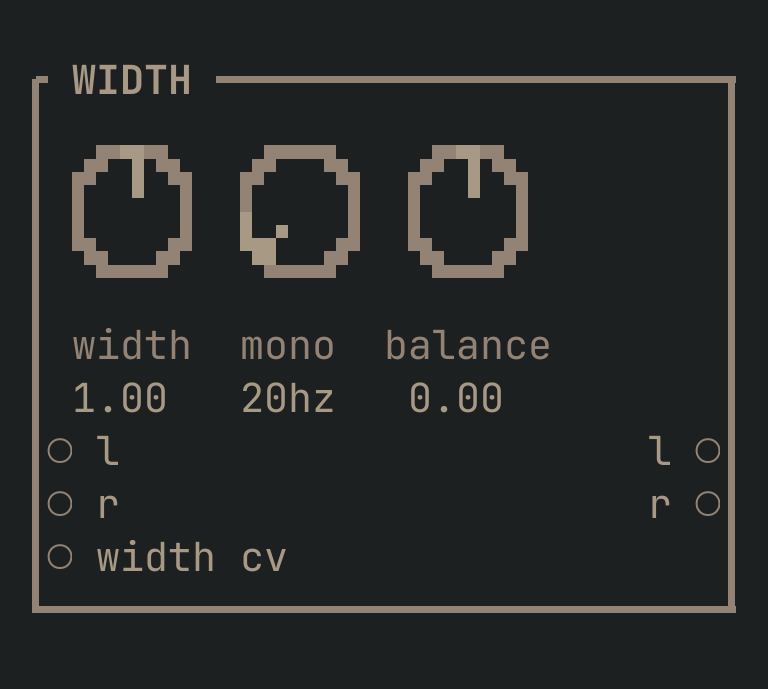
WIDTH to get this card.inputs
Down the left edge of the card, top to bottom.
- laudio
- Left in.
- raudio
- Right in. Normals from
l— though a mono signal has no width to work on until something makes the two sides differ. - width cvcv
- Added to the
widthknob. An envelope here opens the image on the drop; a slow LFO breathes it.
outputs
Down the right edge, in the same order.
- laudio
- Left.
- raudio
- Right.
knobs
Left to right across the face — the dials in the picture.
- width0 … 2= 1
- The stereo image. 0 is mono, 1 leaves it alone, 2 pushes the sides apart. Past about 1.5 it starts to sound hollow in the middle, which is the sound of the sides eating the centre.
- mono20 … 500 hz= 20 hz
- Below this, the image is CENTRED. 20 Hz is off. A wide bass is the one stereo move that falls apart the moment anything sums your mix — set this to 100–150 Hz and the low end stays solid wherever it is played.
- balance-1 … 1= 0
- Leans the whole image left or right. Not a pan: a pan places a mono sound, this tilts a stereo one that already has two sides.
more
The full reference — every parameter curve, the patching notes and the worked examples — lives in the manual: docs.vimsynth.com/modules/width. In the app itself, :help WIDTH opens the same page without leaving the rack.